
What is an Online Timetable Maker? The Global Standard for Academic Organization
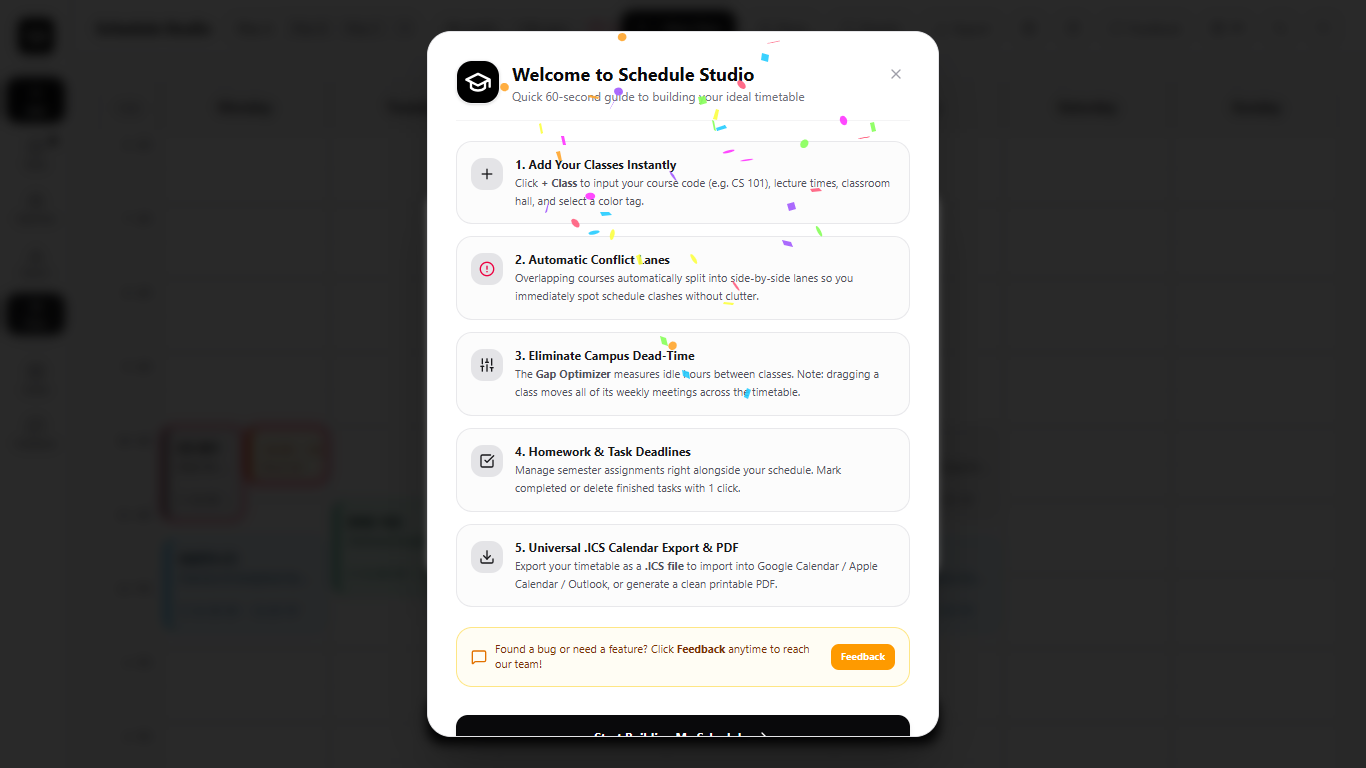
A timetable maker is a free, web-based software tool that allows students, teachers, and parents to create structured weekly timetables (also known as time tables) across 5-day or 6-day academic cycles. It visually organizes class lectures, lab practicals, study periods, and break intervals, detects overlapping scheduling clashes automatically, and exports finished timetables to printable PDFs and digital calendars.
In the United Kingdom, India, Pakistan, Nigeria, Australia, and across Commonwealth education systems, students and educators universally use the word timetable rather than "class schedule." While the terminology differs across borders, the core organizational challenge remains identical: how to map 30 to 45 hours of weekly academic lessons into a clear, clash-free routine.
Our Timetable Maker was built to eliminate confusing spreadsheet templates and restrictive mobile apps:
Automated Collision Detection
If two lectures or coaching sessions share identical hours, they render side-by-side in split lanes with alert borders.
Monday–Saturday Support
Toggle the 7-day view to map 6-day academic schedules (Mon–Sat) standard in Indian, Pakistani, and international schools.
100% In-Browser Privacy
No registration, no password creation, and no student data collected. Works completely offline on your local computer or phone.
How to Create a 6-Day (Monday to Saturday) School or College Timetable
To create a 6-day Monday to Saturday timetable, open Schedule Studio, click the '5D / 7D' toggle in the toolbar to activate weekend days, and add your classes across Monday through Saturday while leaving Sunday unassigned. This accurately models secondary school and university timetables common in India, Pakistan, and the UK.
Because many academic institutions in South Asia and the Commonwealth operate on a 6-day week (with half-days or extra practical labs on Saturday morning), standard Western 5-day calendar tools fall short. Here is how to configure your 6-day schedule efficiently:
- Activate 7-Day Matrix: In the top navigation bar or left sidebar, toggle the 7D button. The canvas expands from Monday through Sunday.
- Enter Periods as Course Codes: Enter period numbers directly into the course code input, such as
P1: English,P2: Mathematics, orP3: Physics Lab. - Assign Monday–Saturday Days: Use the day selector pills to check
Mon, Tue, Wed, Thu, Fri, Sat. For classes that only meet on Saturday morning, select solely theSatpill. - Leave Sunday Open for Revision: Leave Sunday blank or use our dedicated Study Schedule Maker techniques to plan weekend exam preparation.
Sample 8-Period Daily School Timetable Conversion Chart
A standard 8-period school timetable maps 40 to 50-minute teaching intervals between 08:30 AM and 03:30 PM, incorporating a morning recess and a 45-minute midday lunch break.
If your institution issues a timetable based on period numbers rather than clock times, use the reference conversion below:
| Period | Clock Interval | Duration | Typical Academic Focus | Notes |
|---|---|---|---|---|
| Period 1 | 08:30 – 09:15 AM | 45 mins | Mathematics / Quantitative | Peak morning cognitive focus |
| Period 2 | 09:20 – 10:05 AM | 45 mins | English Language & Literature | Core curriculum |
| Recess | 10:05 – 10:25 AM | 20 mins | Morning Break / Snack | Hallway rest interval |
| Period 3 | 10:30 – 11:15 AM | 45 mins | Science (Biology / Chemistry) | Theory instruction |
| Period 4 | 11:20 – 12:05 PM | 45 mins | Social Studies / History | Humanities focus |
| Lunch | 12:05 – 12:50 PM | 45 mins | Midday Lunch Break | Nutritional rest |
| Period 5 | 12:55 – 01:40 PM | 45 mins | Computer Science / Coding | IT Lab session |
| Period 6 | 01:45 – 02:30 PM | 45 mins | Foreign Language / Second Language | Oral / conversational practice |
| Period 7 | 02:35 – 03:20 PM | 45 mins | Physical Education / Art | Kinesthetic / creative release |
Related Timetable Creators & Academic Scheduling Solutions
Depending on your academic grade and institutional structure, explore our dedicated timetable modules:
- K-12 Schools: Visit our School Schedule Maker for standard bell periods, advisory blocks, and teacher planning schedules.
- Revision & Exams: Use our Study Schedule Maker for 90-minute ultradian cognitive blocks, spaced repetition routines, and exam preparation.
- Printable Templates: Download customizable grid layouts in PDF, Excel, and phone wallpaper formats from our Class Schedule Template Hub.
- Higher Education: College and university students can optimize MWF vs TTh lecture loads with our College Schedule Maker.
Exporting and Printing Your Weekly Timetable
To export and print your weekly timetable, plot your periods in Schedule Studio, click 'Export Hub', and choose between a print-ready vector PDF for wall hanging or notebook pasting, a universal iCal (.ICS) calendar file for phone alarms, or a high-resolution smartphone lockscreen wallpaper.
You can also generate a shareable web link via Share / Copy Link to send your exact timetable to classmates, revision partners, or teachers with one click.